Create Reseller
Create Reseller
- From the left-hand side menu, select the Partners section. Navigate through the sub-sections and click on Create Partner tab to create partner.
- To create new reseller, select type of Partner as Reseller.
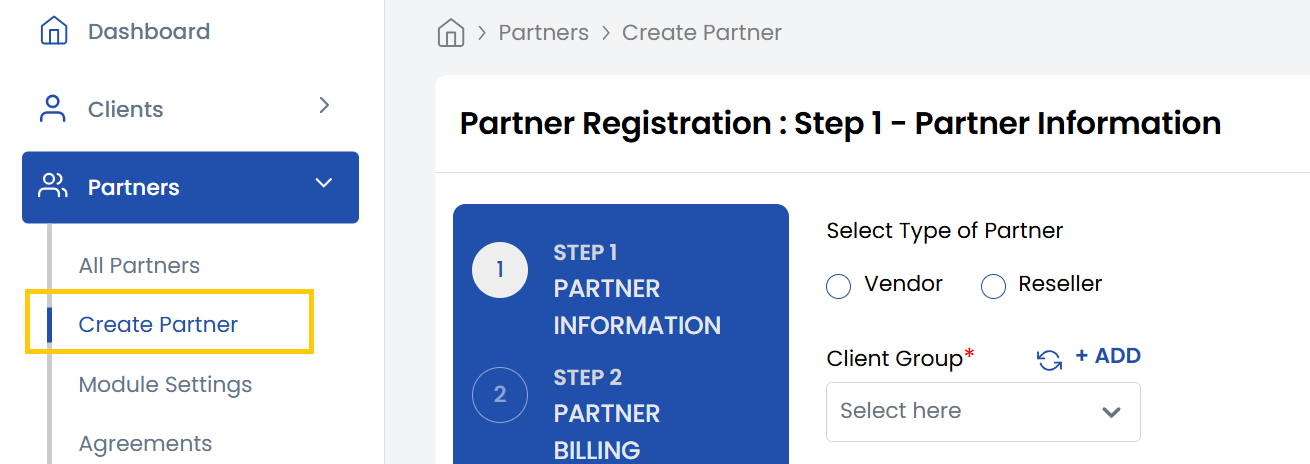
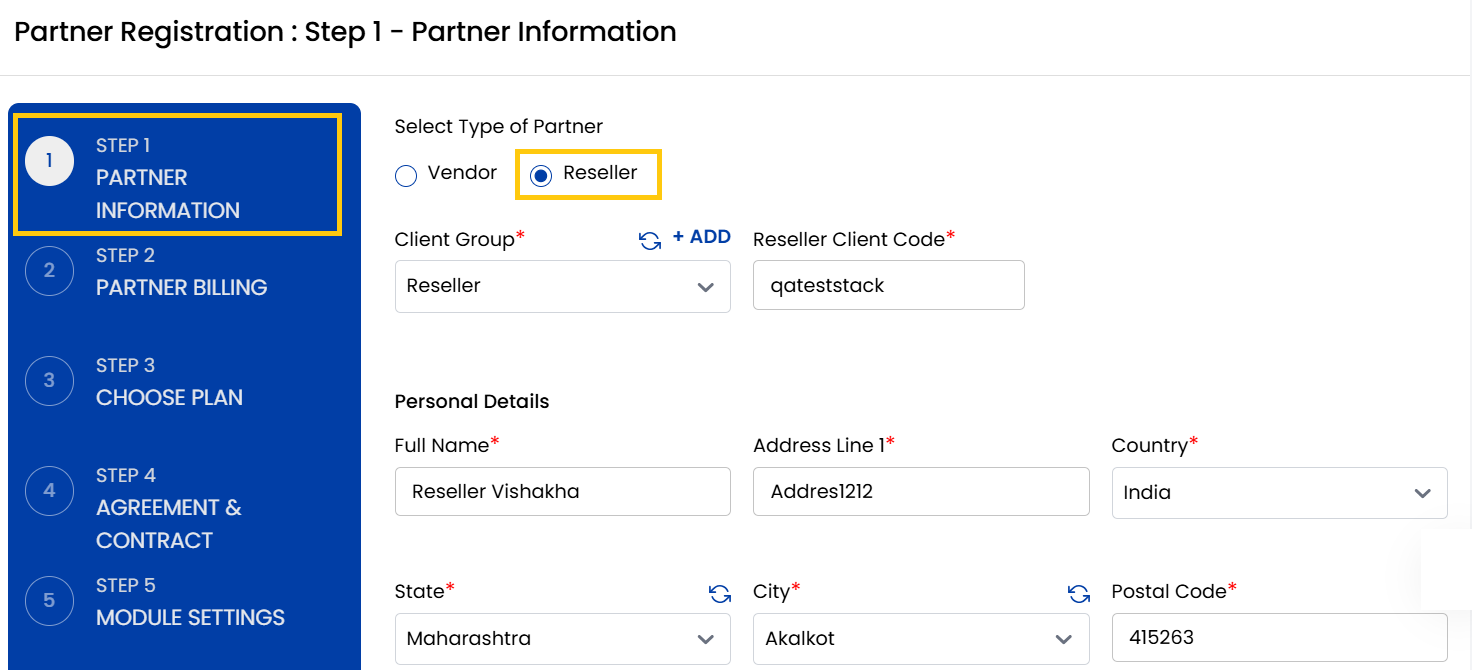
- Select the appropriate Client Group that the reseller will belong to. Enter a unique Reseller Client Code to identify this reseller in the system.
- Enter the name and add the address of the reseller, including street, city, and postal information.
-
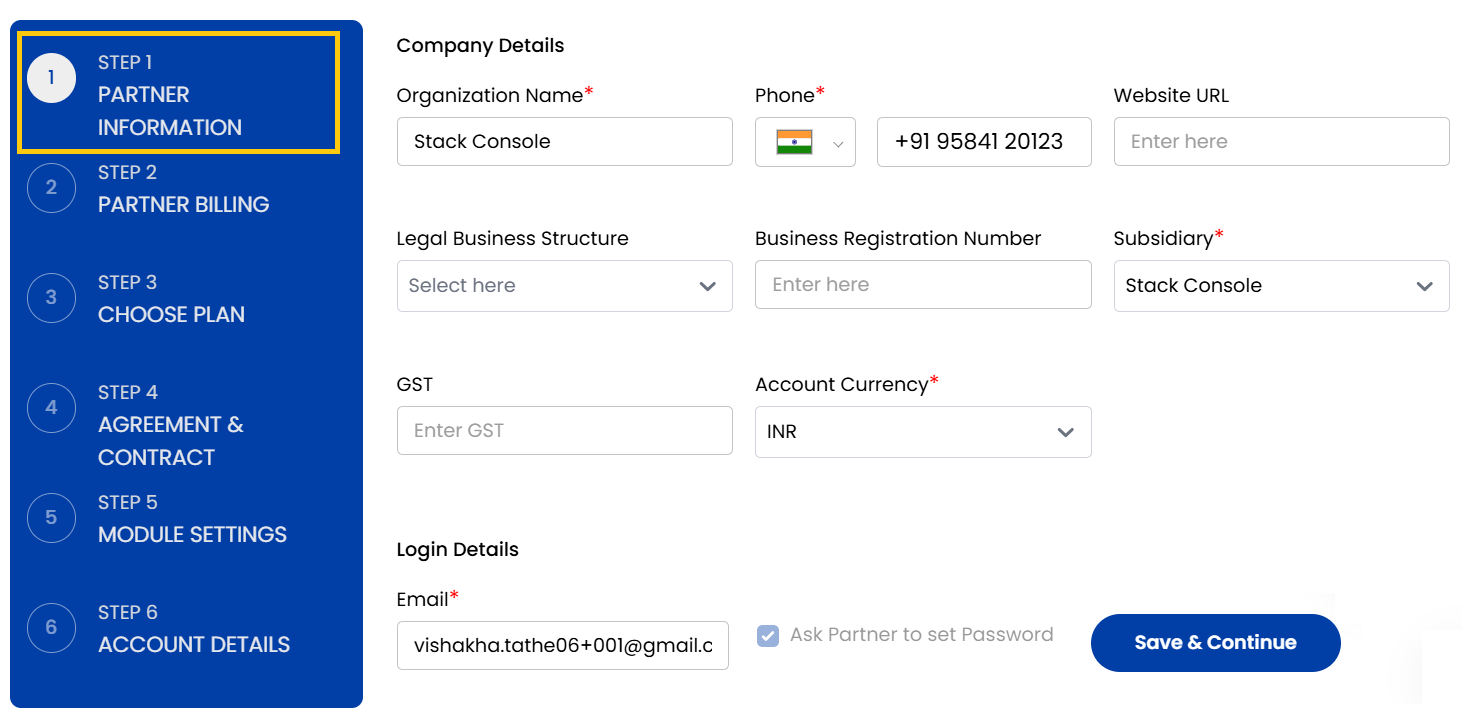
Provide company details such as:
- Organization Name – The name of the company.
- Organization Number – Phone number associated with the organization.
- Website URL – Company’s website address.
- Legal Business Structure – Type of business (e.g., LLC, Sole Proprietorship, Corporation).
- Business Registration Number – Official registration ID.
- Subsidiary – Subsidiary associated with business.
- Account Currency – Select the currency in which transactions will be handled.
- VAT/GST – Add GST information if applicable.
-
Provide the email address for the reseller's login. Select the option Ask Partner to set the password to let them set it themselves, or you can set a default password.
-
Once login info is set, click on Save and Continue.
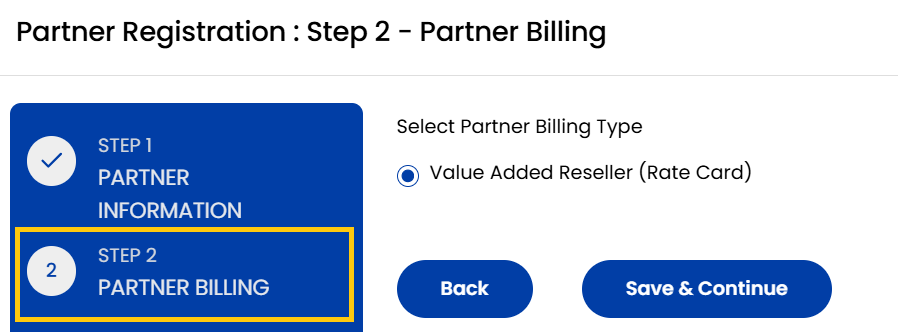
- From Partner Billing page select the Billing Type, by default it is Value-Added Reseller. Click on Save and Continue.
- Choose a Plan from pricing settings which include rate cards. Click on Save and Continue.
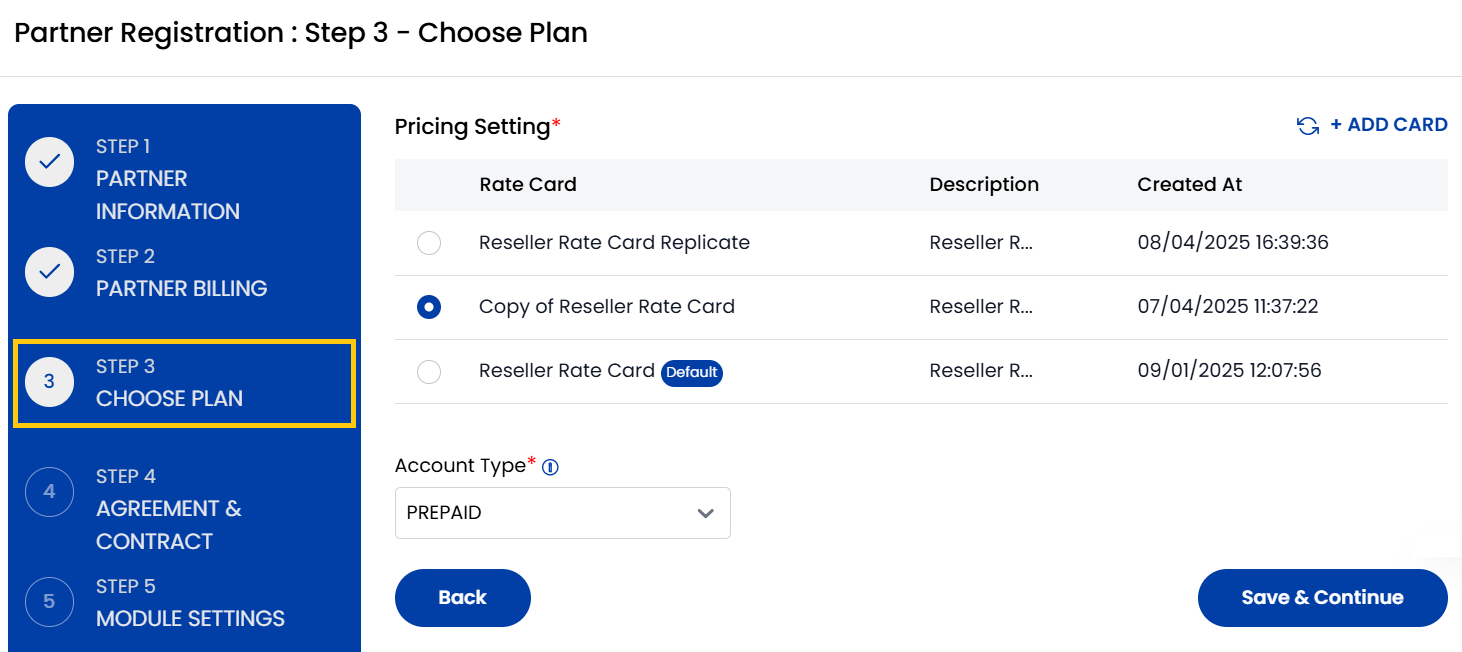
- Choose the Contract associated with agreement that will apply to the reseller. Click on Save and Continue.
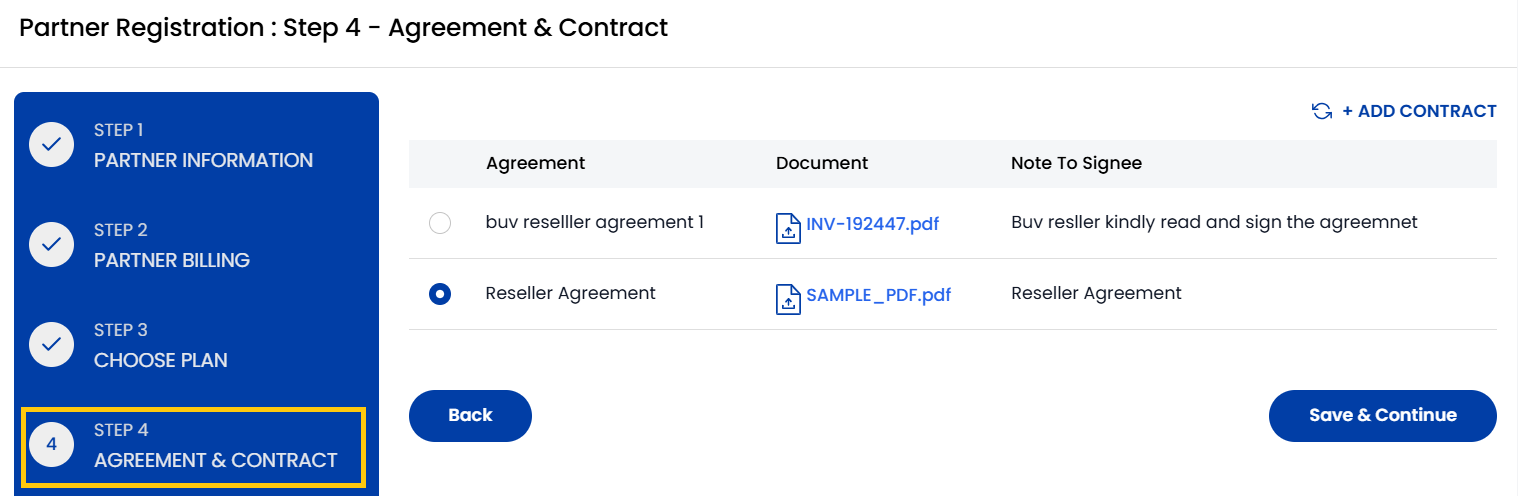
- Select the specific Modules Settings that the reseller will have access to interact with your system.
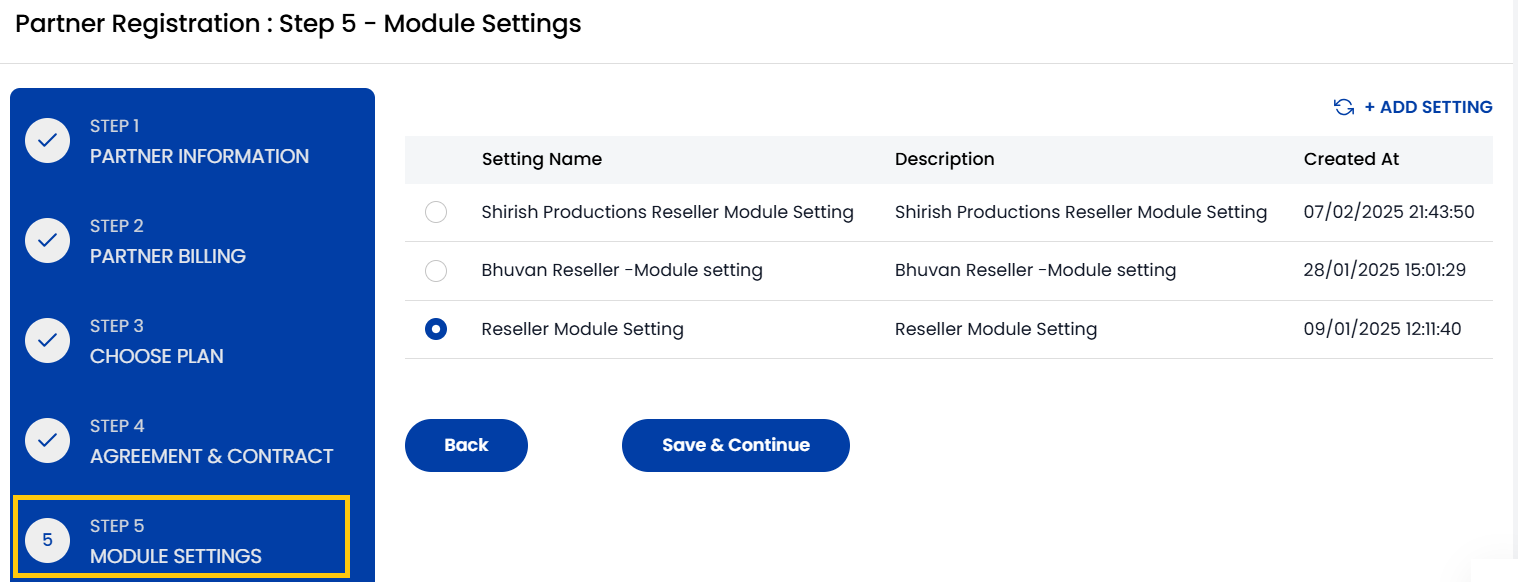
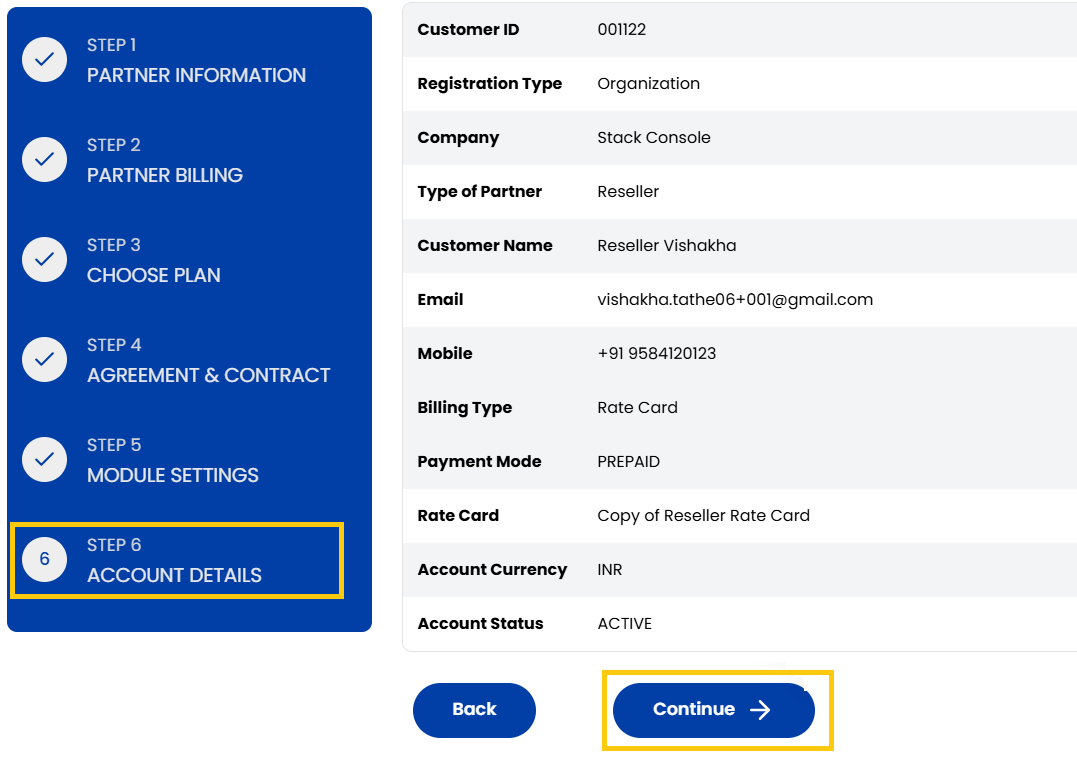
- The Account Details page will show you the summary of all the entered details. Carefully review each section and click on Continue. You have successfully registered you Reseller.
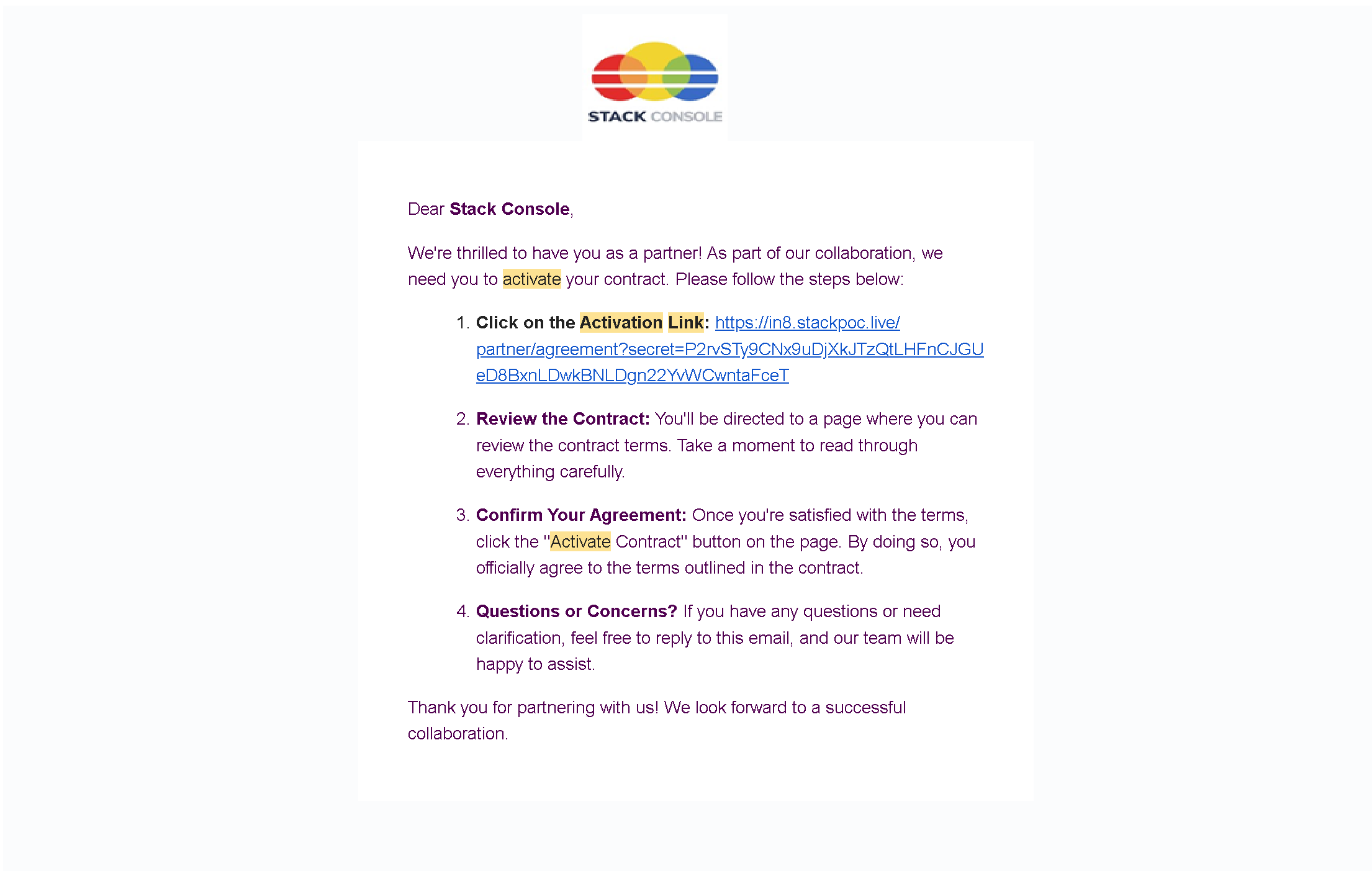
- Once you have registered your Reseller, a link will be sent to your registered email account. Click on that link to activate contract.
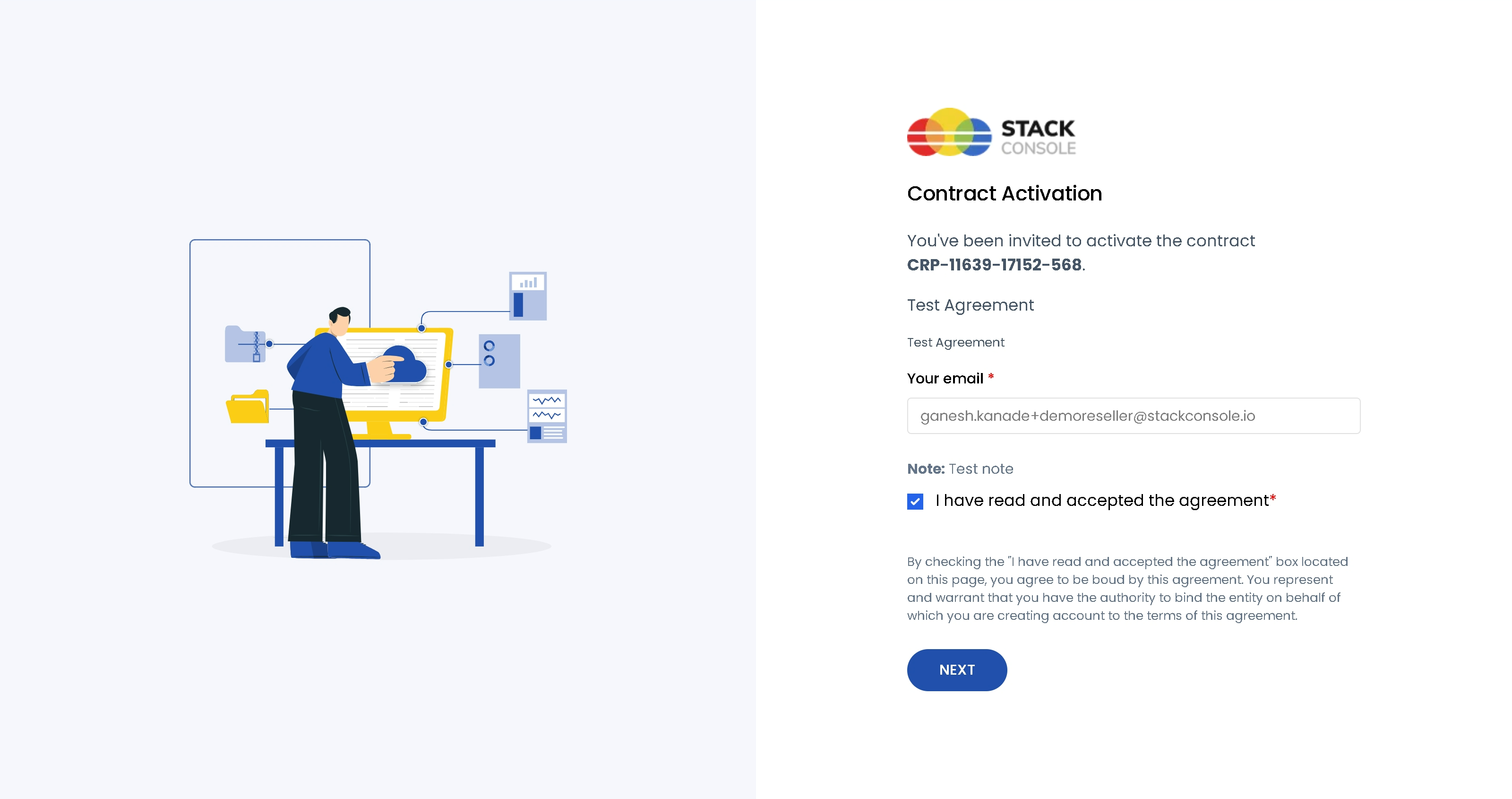
- Enter your registered email ID. Read the Reseller Agreement carefully and accept the agreement. Click on Next to continue.
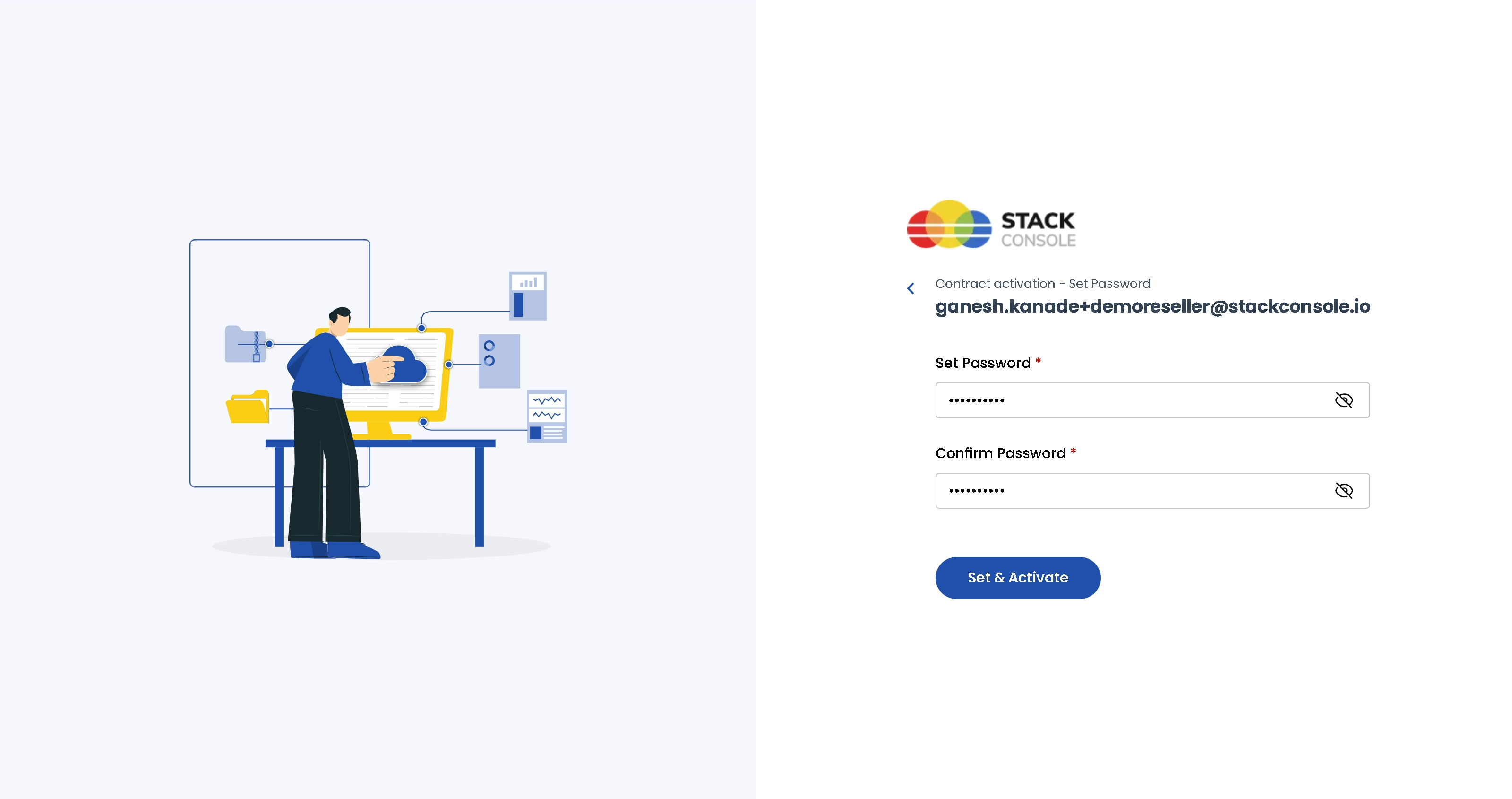
- Set a strong password for your account. Click on that link to Set & Activate to activate contract.
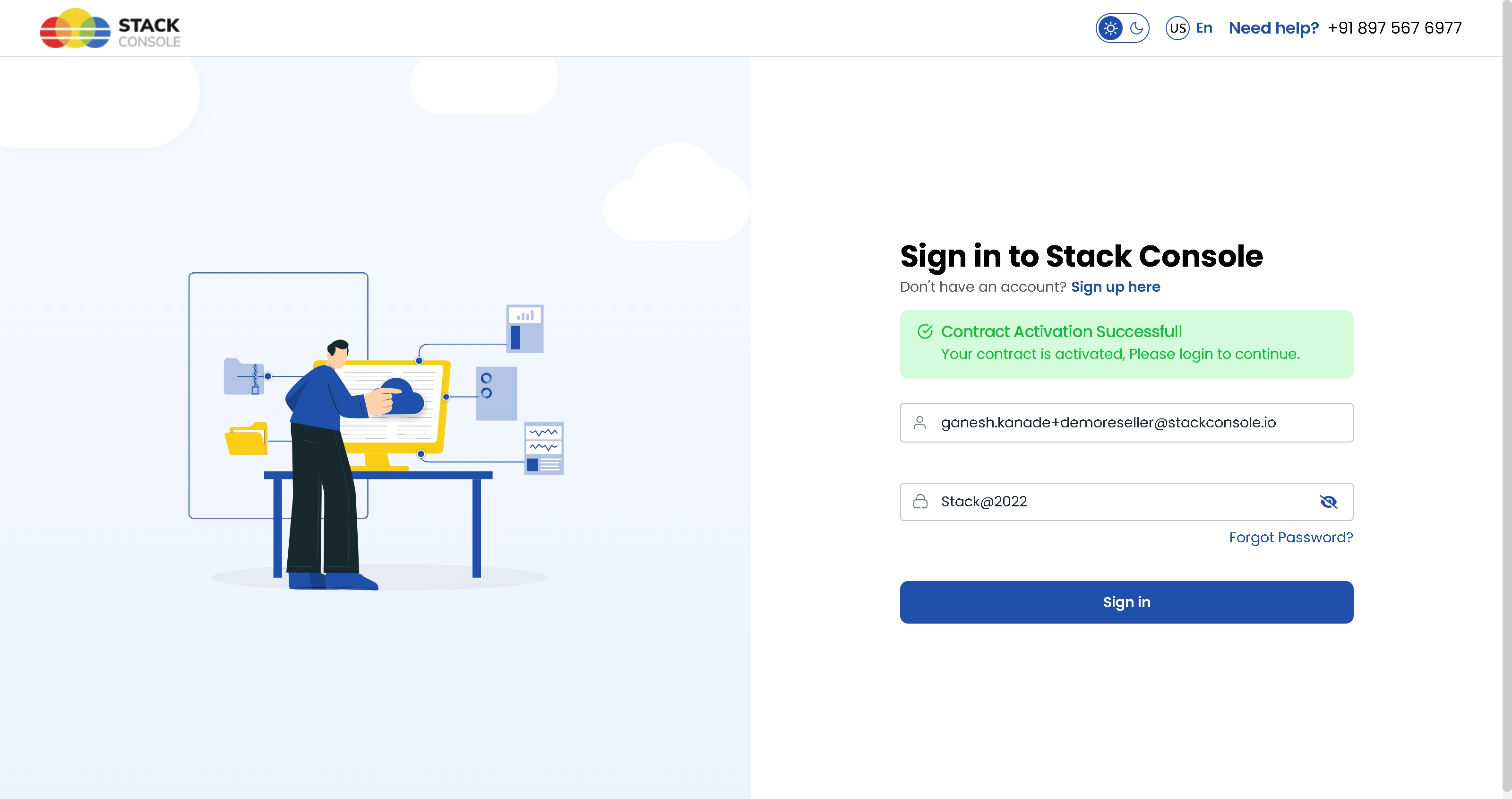
- Now, final step is to sign in into your account. Enter your login credentials and click on Sign In to access the Reseller portal.
Conclusion
The Create Reseller process offers a detailed and guided workflow to successfully onboard resellers into your system. By capturing essential information from organizational details to billing setup, contracts, and module permissions ensure that each reseller is set up correctly and ready to operate within your platform.